If your community is a UK charity registered with HMRC for Gift Aid, you can claim an extra 25p for every £1 a UK taxpayer gives. Givana collects the declarations for you and prepares your claims.
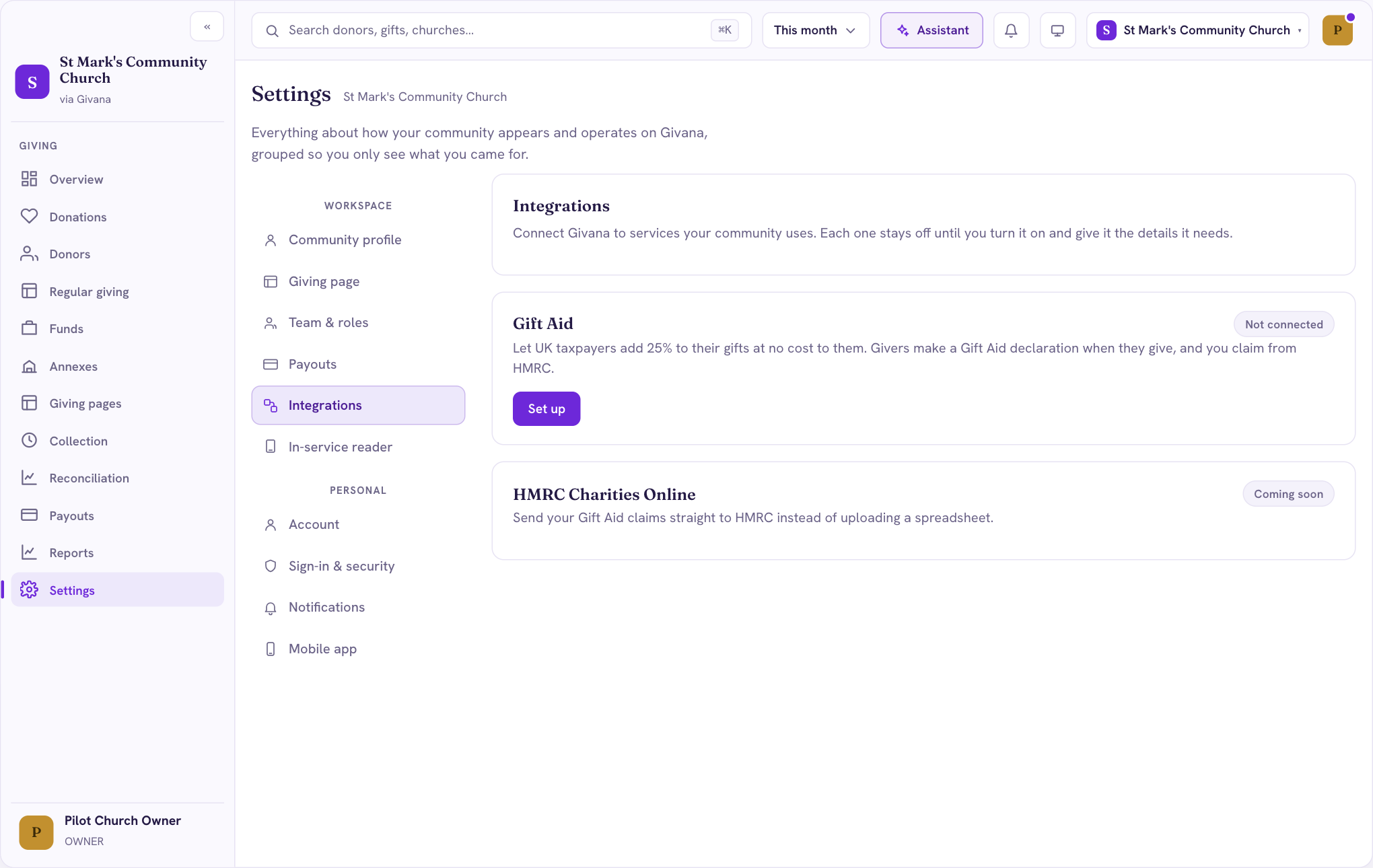
Switch it on
- Go to Settings → Integrations.
- Under Gift Aid, choose Set up and enter your charity's HMRC details.
Once it's on, givers on your giving page are asked whether they'd like to add Gift Aid before they pay. Tap to Give givers can add it by scanning the QR code on the thank-you screen.
What a declaration records
The giver's name and home address, and which gifts it covers: just this gift, this and all future gifts, or also the past four years. Gift Aid is worked out on the gift itself, never on fees a giver covered.
Claiming
Once Gift Aid is connected, a Gift Aid page appears in the menu. It groups eligible gifts into claim batches. A gift is never claimed twice, and refunds after a claim are adjusted in the next one. Each batch exports in the format HMRC Charities Online accepts. Sending claims straight to HMRC from Givana is coming soon.
Read more in Gift Aid, explained for faith communities.