Everything about how your giving page looks and works is in Settings → Giving page.
Suggested amounts
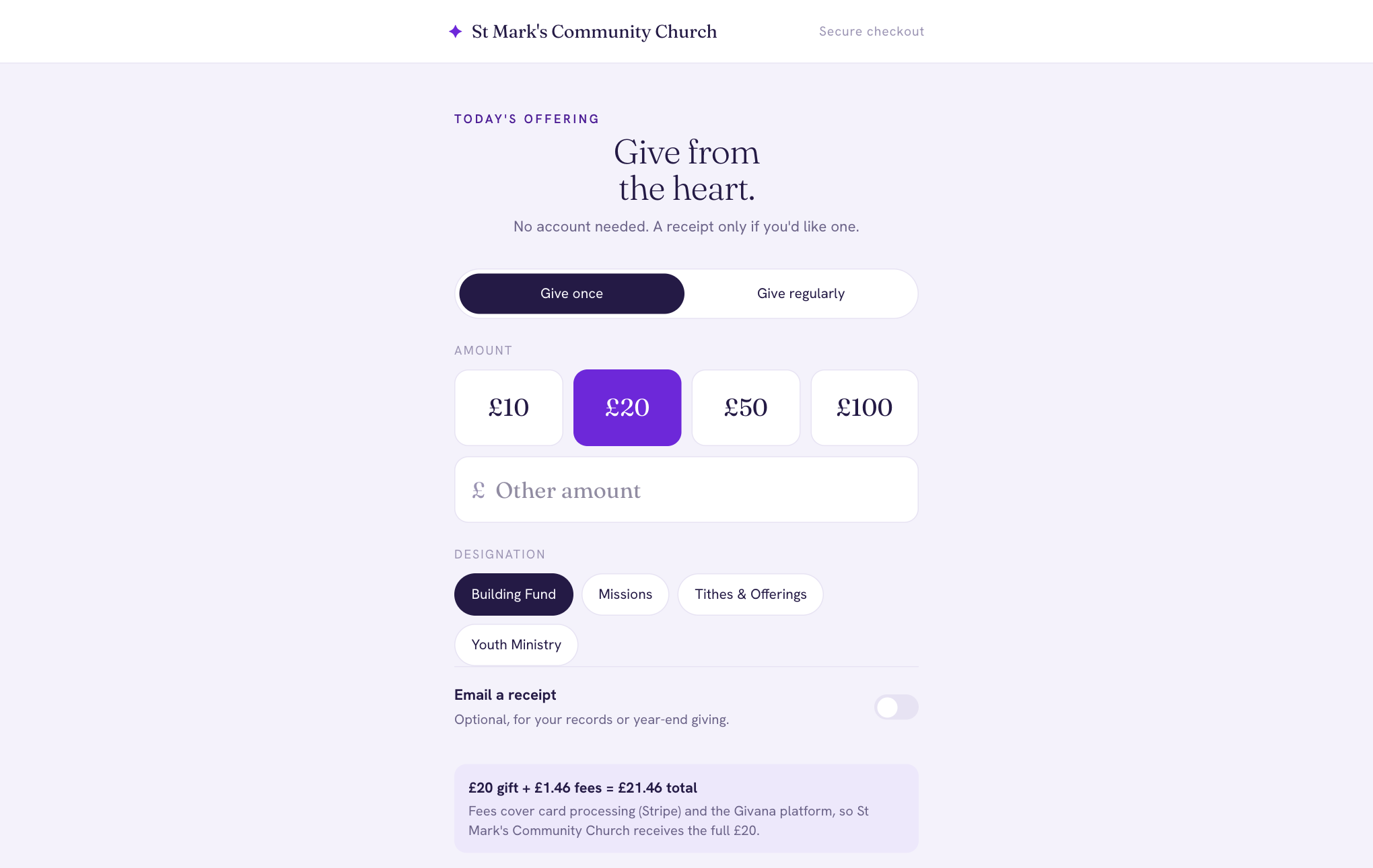
Choose the amounts givers see as buttons (for example £10, £20, £50 and £100). Givers can always type a different amount. The same amounts appear in the Givana app.
Giving-page content
Under Giving-page content, write your own headline, subcopy, and the thank-you message givers see after they give. Leave a field blank to use Givana's wording. The preview shows how it will look.
Who pays the fees?
Every card payment has a cost: Stripe's processing fee, and Givana's fee. Under Who pays the fees? choose:
- Your community: givers see one amount, and your community receives the gift minus the fees.
- Your givers: the fees are added to the gift, so your community receives the whole gift. Givers see the breakdown, for example "£20 gift + £1.46 fees = £21.46 total".
See pricing for the fees themselves.
Other defaults
Under Defaults you can also choose whether to allow anonymous gifts and whether to offer regular giving.