Every community has a giving page at its own link, such as givana.uk/st-marks/give. Givers don't need an account: they choose an amount and a fund, and pay by card, Apple Pay or Google Pay.
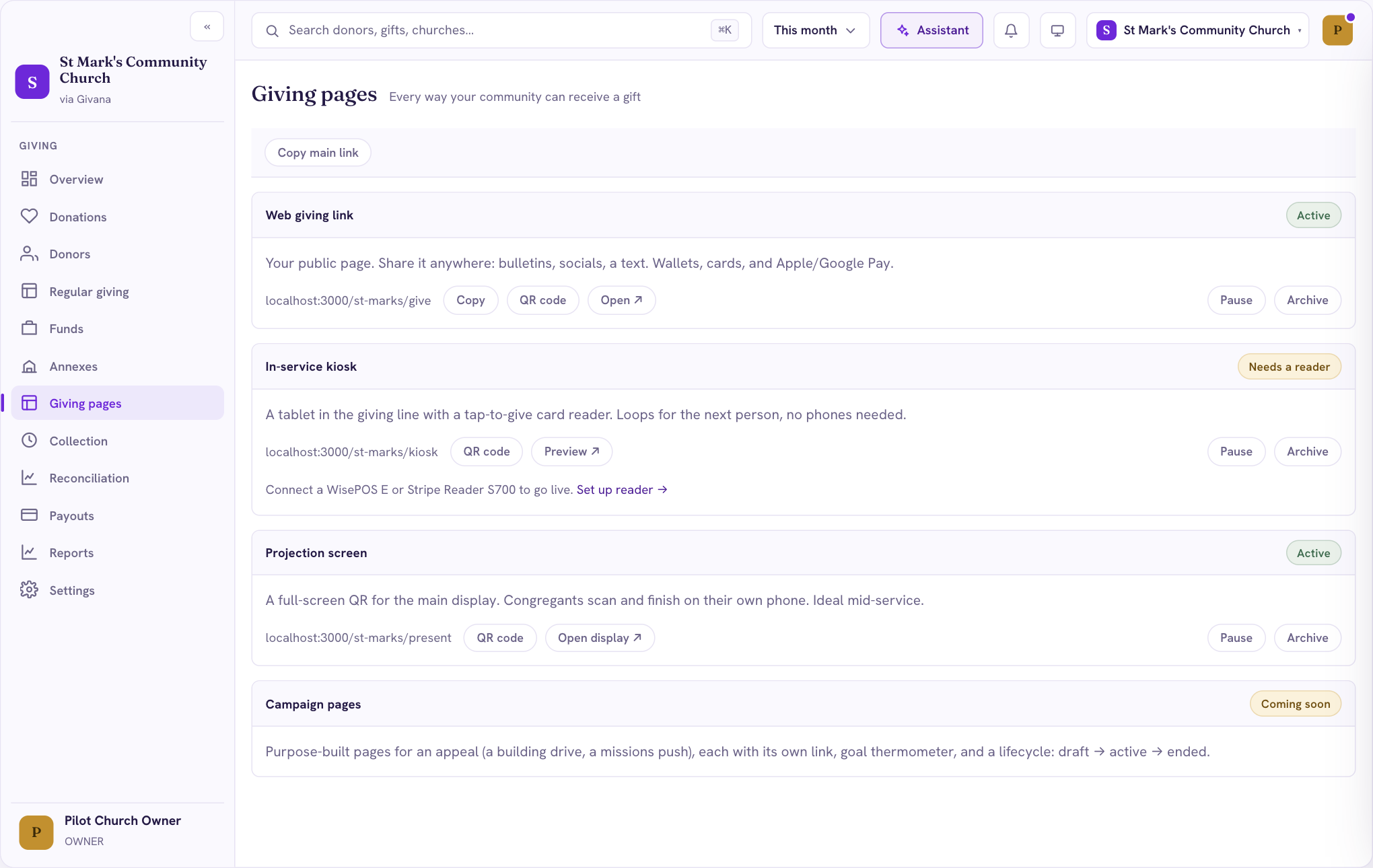
Get your link
- Go to Giving pages.
- Under Web giving link, choose Copy, or Open to see the page as givers do.
Share it anywhere: your website, newsletter, social media, or a message to members.
QR codes
Choose QR code next to any link to get a code for your noticeboard, service sheet or slides. Givers scan it with their phone camera and land on your giving page.
The Projection screen shows a full-screen QR code for your main display, so people can give from their seats during a service.
Pausing a page
If you need to stop gifts for a while, choose Pause. The page tells visitors it's unavailable until you turn it back on.