Your community will share its giving page as a link or a QR code. You don't need an account.
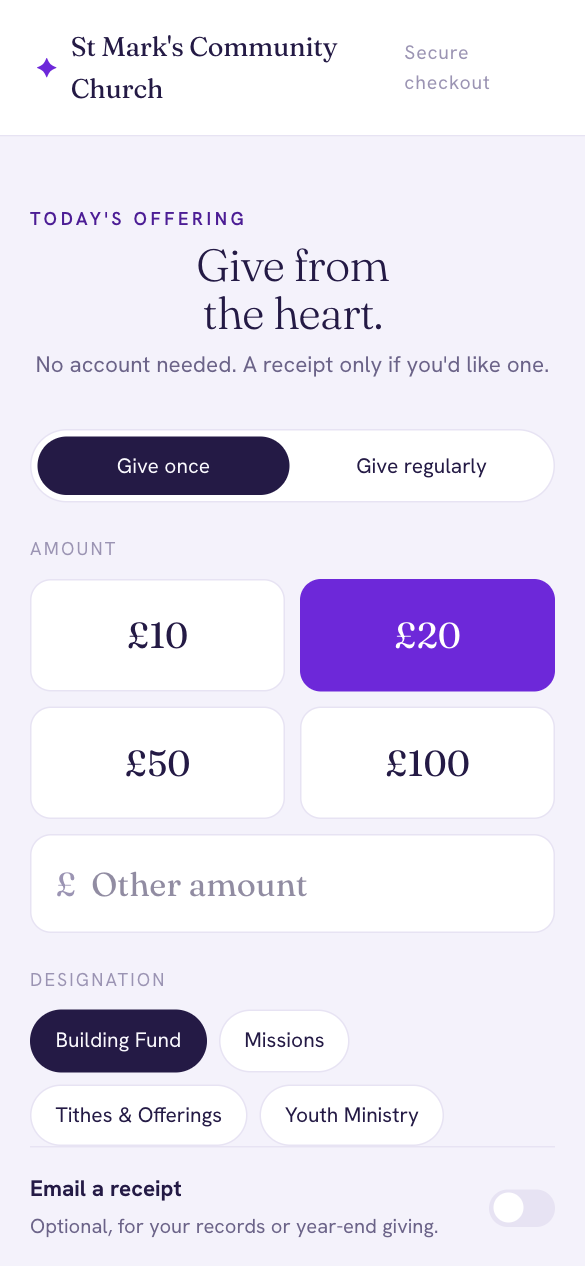
- Choose Give once (or Give regularly for a gift that repeats).
- Choose an amount, or type your own under Other amount.
- Choose where your gift goes under Designation.
- Turn on Email a receipt if you'd like one.
- Continue to pay by card, Apple Pay or Google Pay. Payments are handled securely by Stripe.
If the community asks givers to cover the fees, you'll see the breakdown before you pay, for example "£20 gift + £1.46 fees = £21.46 total", so the community receives your whole gift.
Gift Aid
At UK charities registered for Gift Aid, you'll be asked whether you'd like to add it. If you're a UK taxpayer, the charity can claim 25p for every £1 you give, at no cost to you.