A regular gift repeats on a schedule you choose, so you don't have to remember each time.
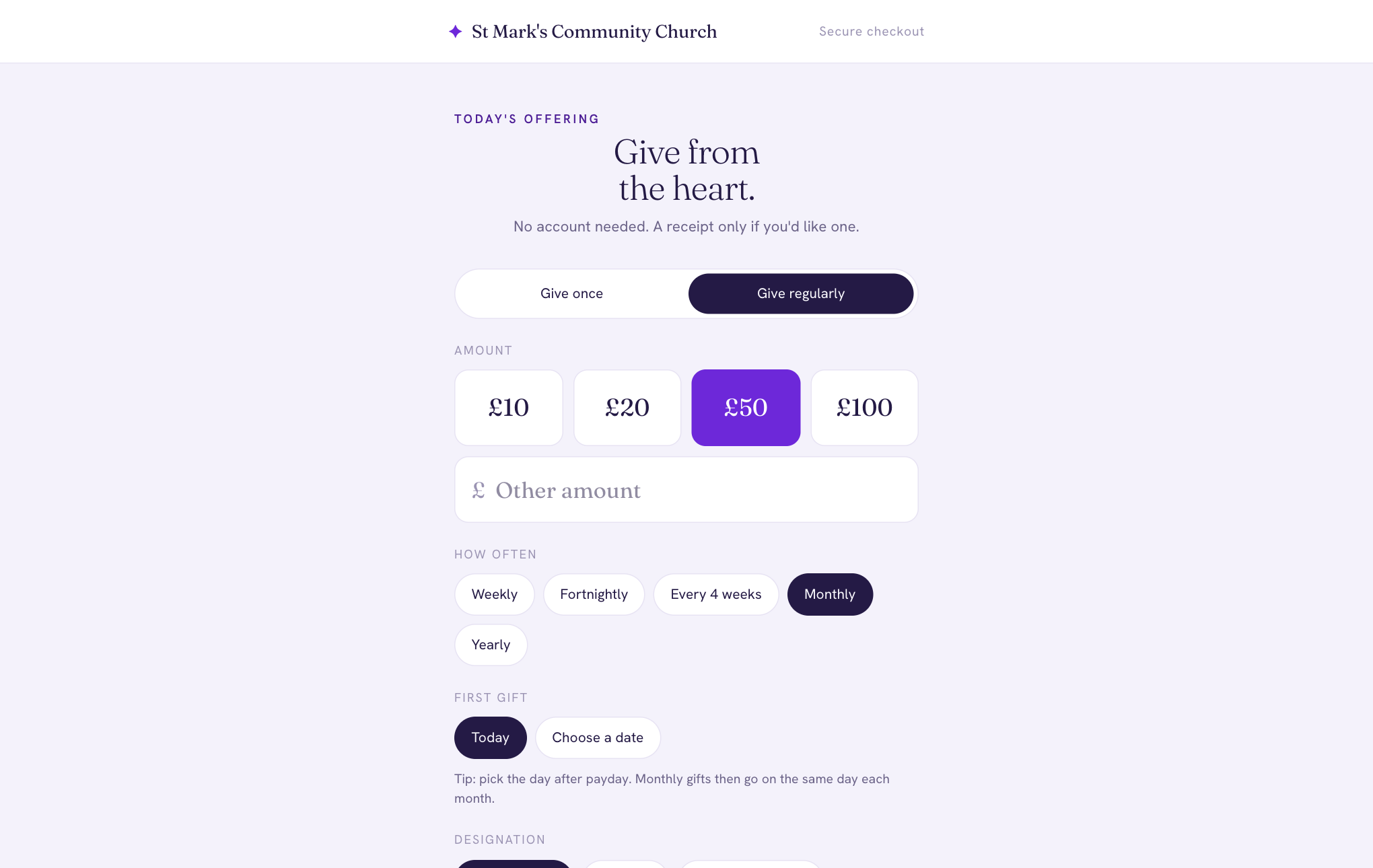
- On the giving page, choose Give regularly.
- Choose an amount and how often: weekly, fortnightly, every 4 weeks, monthly or yearly.
- Under First gift, choose Today or Choose a date. Tip: pick the day after payday, and monthly gifts then go on the same day each month.
- Choose the fund, and pay by card or, in the UK, Direct Debit.
We'll email you to confirm, with a Manage my giving link. You'll get a receipt for each gift.
If you've already given once, the receipt may offer Make it a regular gift, which opens the giving page with the same amount and fund.