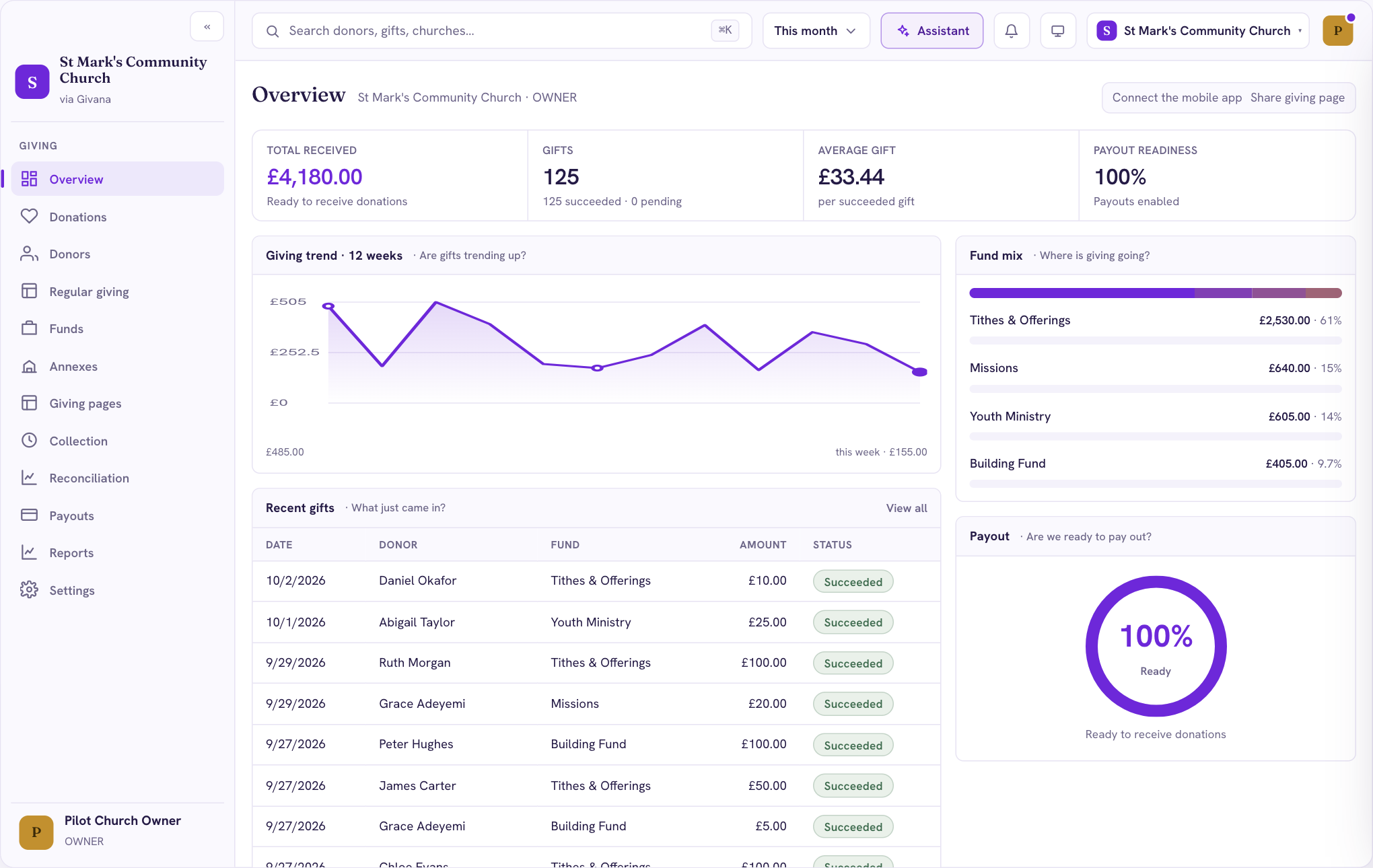
When you sign in, you land on Overview. It answers the questions most people ask on a Monday morning: how much came in, where it went, and whether it's on its way to the bank.
What's on Overview
- Total received, Gifts and Average gift for the period chosen at the top (for example, This month).
- Payout readiness: how close your Stripe account is to paying out. At 100%, gifts can reach your bank.
- Giving trend: the last 12 weeks, week by week.
- Fund mix: how giving splits across your funds.
- Recent gifts: the latest gifts, with a link to see them all.
Finding your way around
The menu on the left has everything else:
- Donations: every gift, with search, filters and an export
- Donors: everyone who has given, and their totals
- Regular giving: gifts that repeat, such as tithes
- Funds: the causes people can give to
- Giving pages: your giving link, QR codes and in-person giving
- Reconciliation and Payouts: matching gifts to what reached your bank
- Reports: exports for your treasurer and trustees
- Settings: your community, team, payouts and integrations
Once Gift Aid is connected, a Gift Aid page appears in the menu too.
If you look after more than one community, switch between them with the community name in the top right.